MetaMask Decentralized Crypto Wallet for DeFi Users is your gateway to the world of decentralized finance. Designed for seamless interactions with blockchain networks, MetaMask empowers users to manage their digital assets effortlessly. With its user-friendly interface and robust integration capabilities, this wallet stands as an essential tool for both novice and experienced DeFi enthusiasts.
The wallet not only allows for secure storage of cryptocurrencies but also enhances your experience by enabling direct engagement with decentralized applications (dApps). Whether you’re sending, receiving, or swapping tokens, MetaMask provides a comprehensive suite of features tailored to meet the needs of DeFi users, ensuring your assets are managed with utmost efficiency.
Overview of MetaMask Wallet: MetaMask Decentralized Crypto Wallet For DeFi Users
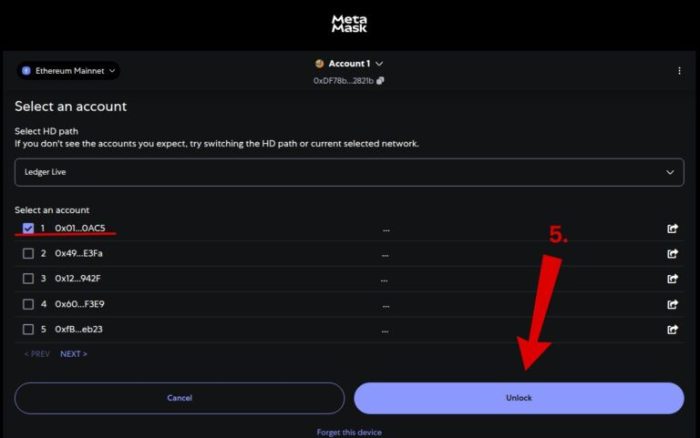
MetaMask is not just a crypto wallet; it’s a gateway to the decentralized world of blockchain and decentralized finance (DeFi). With its user-friendly interface and robust features, MetaMask allows users to manage their crypto assets seamlessly. One of the key purposes of MetaMask is to enable users to interact with various decentralized applications (dApps) directly from their browser or mobile device, making it an essential tool for anyone venturing into the DeFi space.
The importance of MetaMask for DeFi users cannot be overstated. It provides a secure environment to manage digital assets and facilitates transactions across multiple blockchain networks, including Ethereum and Binance Smart Chain. By integrating with these networks, MetaMask enables users to participate in a wide range of DeFi protocols, from lending and borrowing to yield farming and liquidity pooling.
Setting Up MetaMask
Setting up MetaMask is a straightforward process. Here’s how you can get started:
- Download and Install: Visit the official MetaMask website and download the browser extension or mobile app. Follow the installation prompts to add MetaMask to your browser or device.
- Create a New Wallet: Upon first launch, you will be prompted to create a new wallet. This involves setting up a strong password and generating a seed phrase, which is crucial for wallet recovery.
- Import Existing Wallets: If you already have a wallet, you can easily import it by selecting the “Import Wallet” option and entering your seed phrase.
Using MetaMask for DeFi Transactions
MetaMask serves as a bridge to various decentralized applications. Here’s how to use it effectively for DeFi transactions:
- Connecting to dApps: MetaMask allows users to connect to a myriad of dApps. Simply visit the dApp website and click on the “Connect Wallet” option to link your MetaMask account.
- Sending and Receiving Cryptocurrency: To send crypto, select the asset you wish to transfer, enter the recipient’s wallet address, and confirm the transaction. Receiving is as easy as sharing your wallet address.
- Swapping Tokens: MetaMask includes a built-in feature for token swaps. Users can select the tokens to swap and the amount, allowing for quick and efficient trades within the wallet interface.
Security Features of MetaMask
Security is paramount in the world of cryptocurrency, and MetaMask has implemented several measures to protect users. Key features include:
- Private Key Control: Users retain full control of their private keys, ensuring that only they can access their funds.
- Seed Phrase Backup: The seed phrase generated during wallet creation is vital for recovery. Users are advised to store it securely offline.
- Phishing Protection: MetaMask includes built-in phishing detection to warn users about potential scams and fraudulent sites.
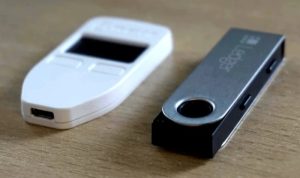
Best practices for maintaining wallet security include regularly updating the software, using hardware wallets for large amounts, and enabling two-factor authentication where possible.
Customizing MetaMask
Customization enhances user experience in MetaMask. Here’s how you can tailor your wallet:
- Wallet Settings: Access settings to change your password, customize network settings, and adjust security preferences.
- Adding Custom Tokens: Users can add custom tokens by entering the token contract address, allowing for easy tracking of all assets.
- Managing Multiple Accounts: MetaMask supports multiple accounts, enabling users to keep their assets organized. You can switch between accounts seamlessly within the interface.
Troubleshooting Common Issues
Even the best wallets encounter issues. Here are common problems and their solutions:
- Connection Issues: If you experience difficulties connecting to dApps, ensure your MetaMask extension is up to date and that your browser is compatible.
- Recovering a Lost Wallet: If the seed phrase is lost, recovery is impossible. Always store the seed phrase securely to avoid this situation.
- Transaction Errors: Errors can occur due to network congestion or incorrect settings. Always double-check transaction details before confirming.
Future of MetaMask and DeFi, MetaMask Decentralized Crypto Wallet for DeFi Users
MetaMask is continually evolving, with upcoming features designed to enhance user experience. Innovations include improved transaction speed, enhanced security measures, and better integration with emerging DeFi protocols.
The evolution of decentralized finance is poised to change how users interact with their wallets. As DeFi continues to gain traction, MetaMask will play a significant role in facilitating seamless transactions and interactions across various platforms. Trends indicate a growing demand for simplified interfaces and improved user education, which MetaMask aims to address in its future updates.